The control room for your practice
Your whole book, in one control room.
IntelliWealthPro is software for mutual fund distributors. CAMS and KFintech feeds are reconciled overnight into one book, and everything you watch — AUM, who needs a call, feed health, any client's reports — sits in one room.
AUM & SIP book
Asset allocation
Who needs a call
Feed health
Client search
Roles
Panel 1 · The book
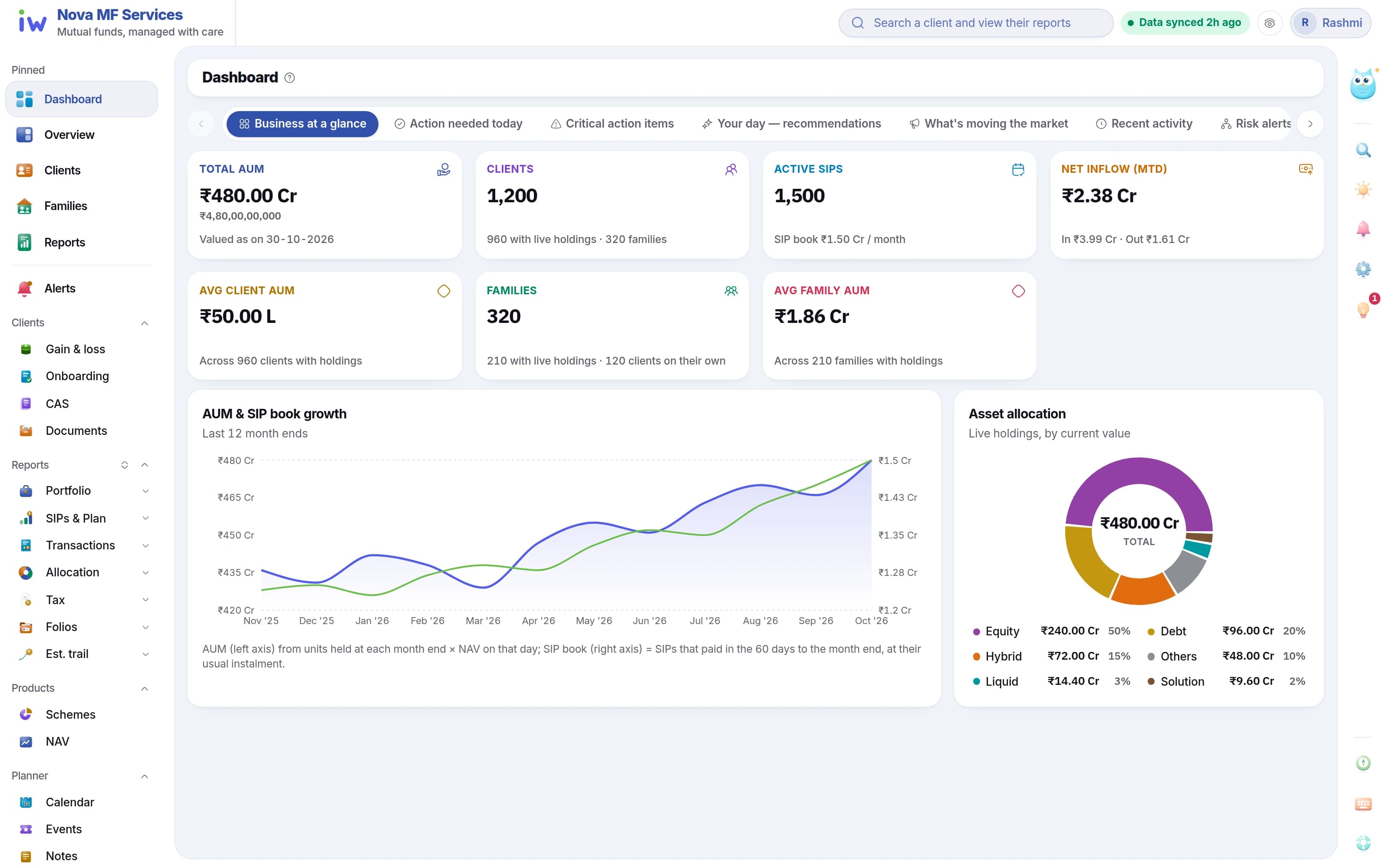
The whole book, at a glance.
AUM, SIP book, new business and the clients who need a call — before the first coffee.
- 1AUM, SIP book, clients and revenue
- 2AUM and SIP book with the 12-month trend
- 3Book-wide asset allocation
Panel 2 · Alerts
Who needs a call today.
Who needs a call today, and why — raised from last night's feed.
- ✓SIP lapses, large redemptions and allocation drift
- ✓Acknowledge, resolve or dismiss as you call
- ✓SIPs ending soon, with the monthly amount at stake
Who needs a call today
Sample names- SIP ending next monthMehta family
- Allocation driftPatel
- Large redemptionIyer
- SIP lapseRao
Raised from last night's feed, with the rule that fired.
Panel 3 · Feeds
Feeds under watch, every night.
CAMS and KFintech mailbacks are read and reconciled overnight, and Feed health shows each one.
- 1Mailback files picked up automatically
- 2Feed health shows each stage and each file
- 3Both registrars in one ledger
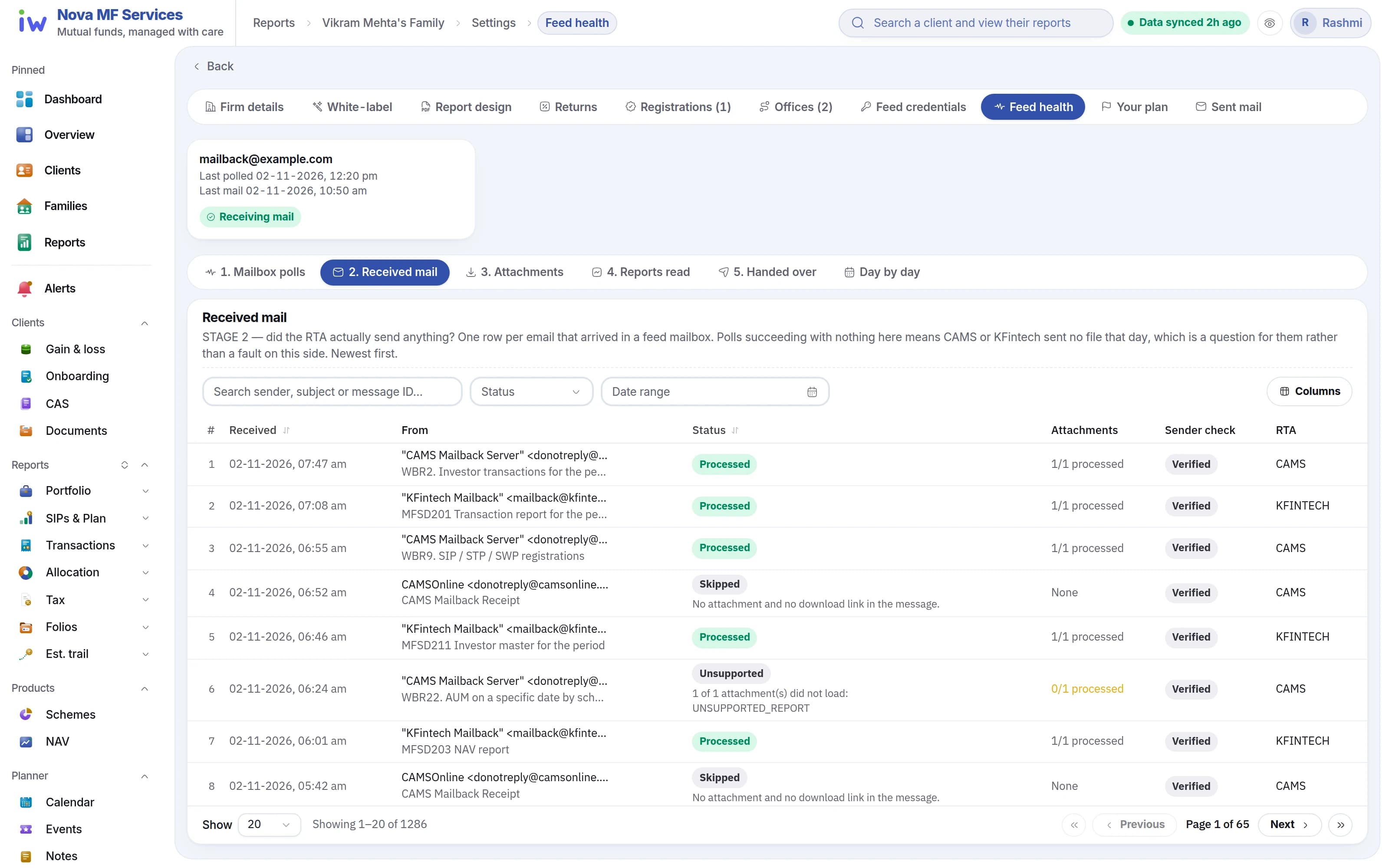
Last night
- CAMS mailbackReconciled
- KFintech mailbackReconciled
Panel 4 · Clients
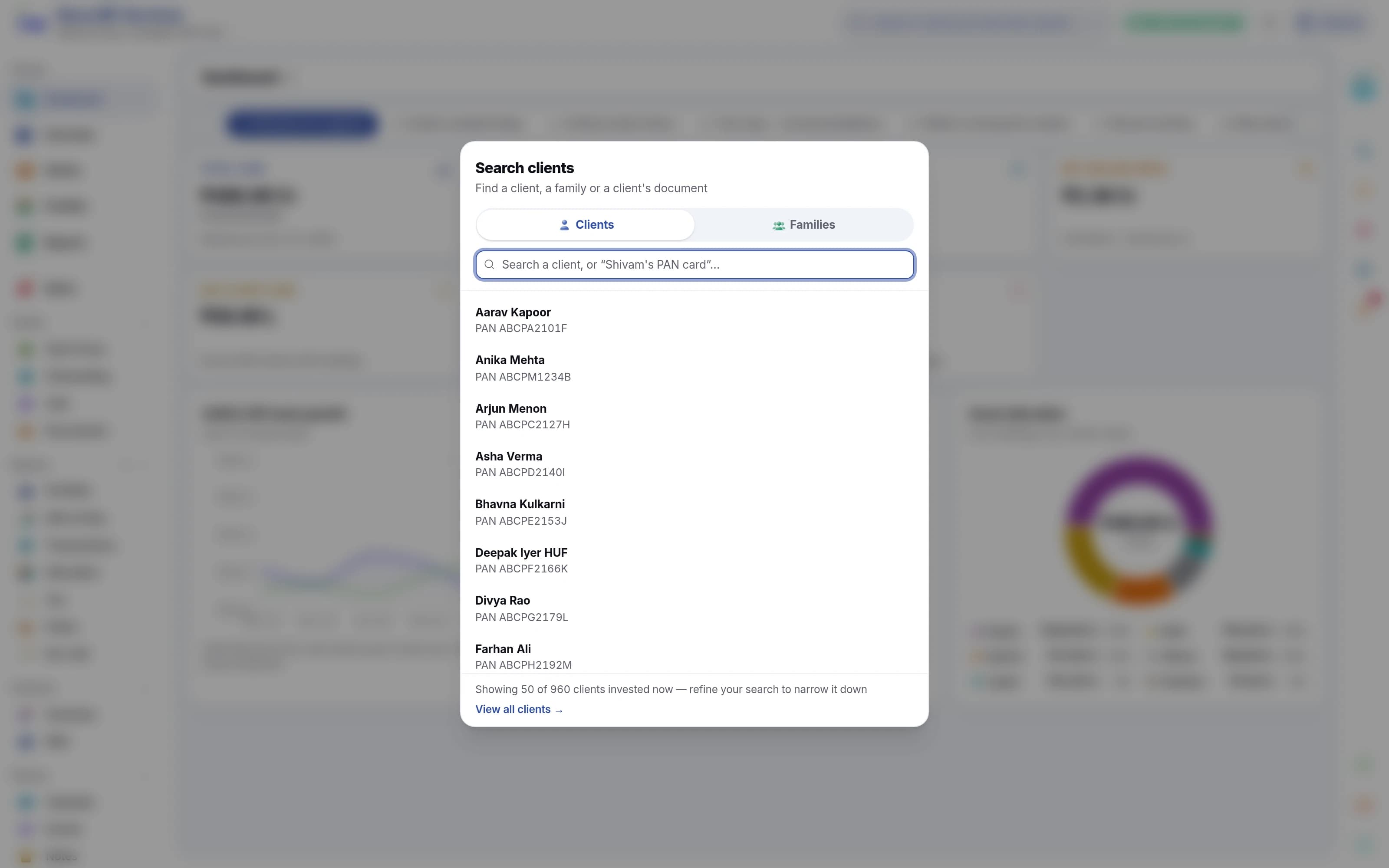
One client, one click.
Find any client or family in a keystroke and open everything about them.
- 1Search across every client and household
- 2Household view with each member's share
- 3Every report one click away
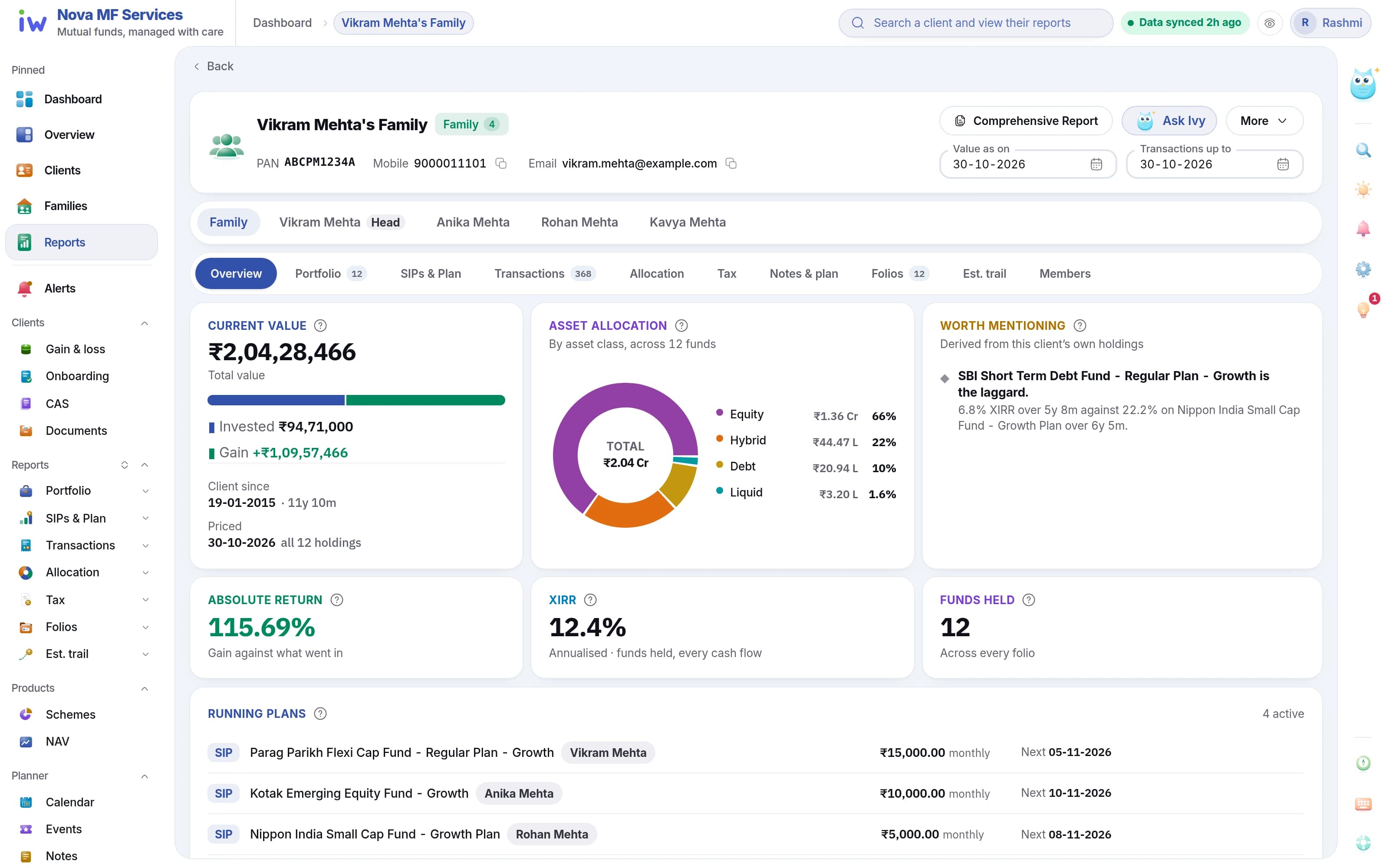
Portfolio valuation · Export as PDF or Excel
Panel 5 · Team
Your team, at the controls.
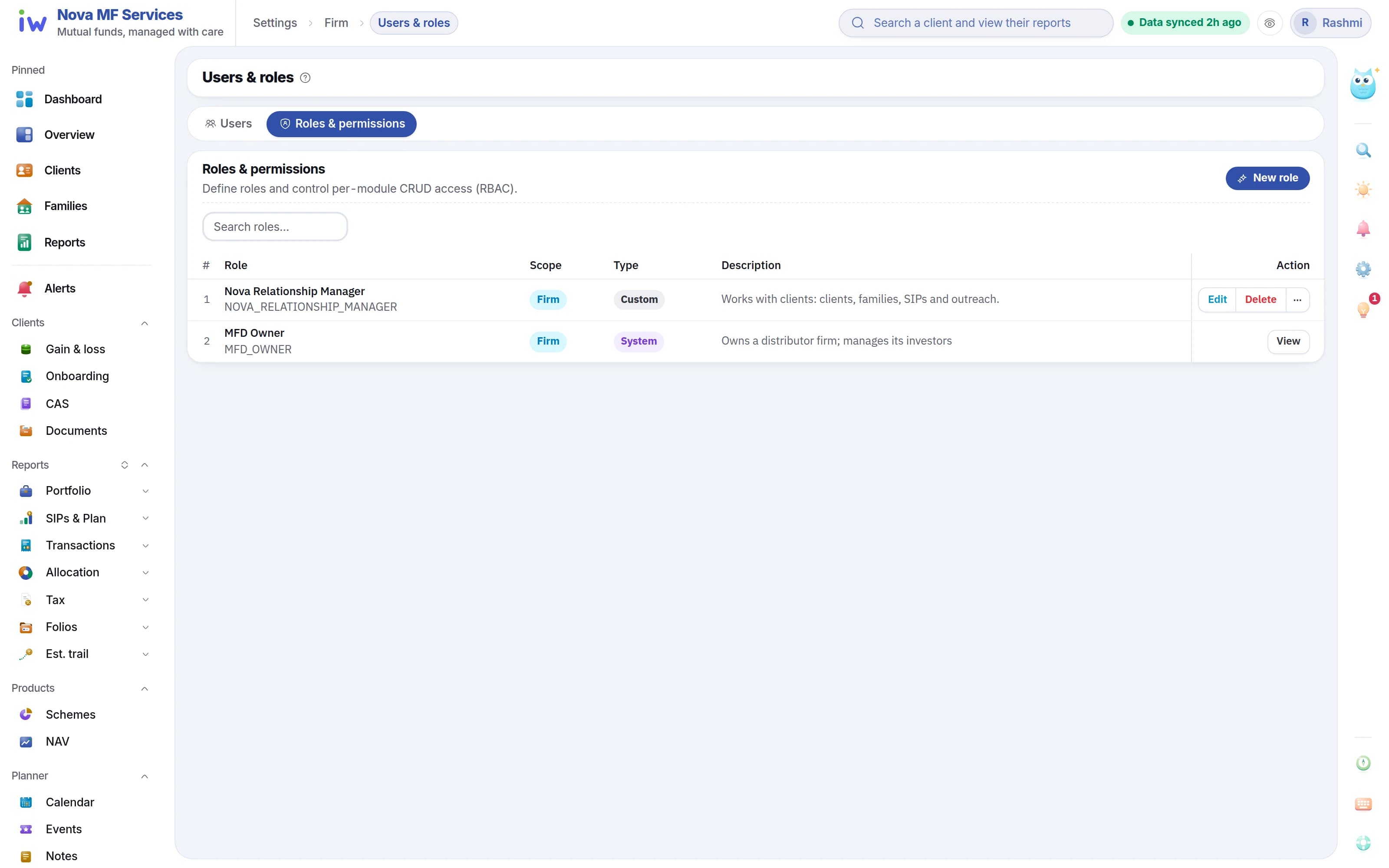
Give each person on the team exactly what they need.
- ✓Roles from templates or from scratch
- ✓Read, create, update and delete per module
- ✓Every change audited
For example
- OwnerEvery panel in the room
- Relationship managerClients, their calls and their reports
- OperationsThe feeds and the client records
Your morning, sorted.
The feed lands at 04:00 and the book is reconciled before you are up. Open the dashboard to the few clients worth a call today — not a report to read.
Feed landed at 04:00
CAMS and KFintech files are read and reconciled overnight, and Feed health shows each one — so every number you open is today's.
Risk alerts, with the rule shown
SIP lapses, large redemptions and allocation drift are raised per client with the rule that fired. Acknowledge, resolve or dismiss as you call.
SIPs ending, before they end
Critical action items count the SIPs ending in the next 30 and 90 days, with the monthly amount at stake.
The list, worked through.
Each action is raised with the client it belongs to, so the day starts with it already handled.
- SIP ending next month — Mehta family(done)
- ELSS lock-in ends — Shah(done)
- Allocation drift — Patel(done)
- Birthday message — Rao(done)
- Large redemption — Iyer(done)
Sample data
Take a seat in the control room.
A walkthrough on a sample book like yours — the dashboard, the reports and the investor portal.