See a morning in IntelliWealthPro.

Four stops, one screen: from the list of who to call, to the client, to the report, to what the client sees.

Start with today's list

The overnight feed has landed. The clients worth a call today are at the top, each with the rule that raised them.

Scroll to move through it1 of 4

Sample data. Every name and figure is made up.

01Chapter 1 · This morning

Open the day to what matters

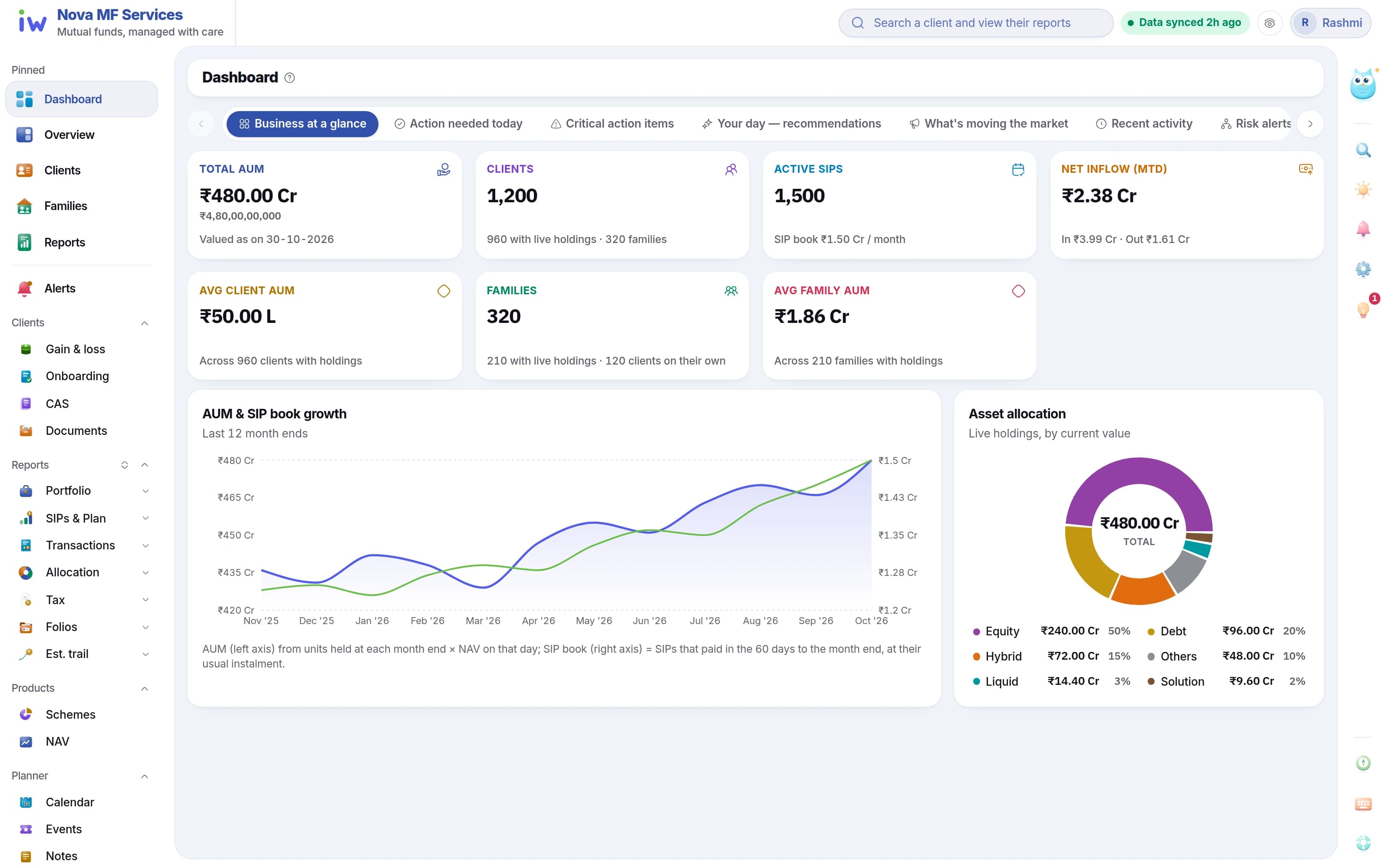
AUM, SIP book, new business and the clients who need a call — before the first coffee.

  • AUM and SIP book with the 12-month trend
  • Book-wide asset allocation
  • Action items: SIPs ending in 30 and 90 days
  • Risk alerts with the rule that fired
The advisor dashboard: AUM, SIP book, investors and the 12-month trend
  1. 1AUM, clients and SIPs
  2. 212-month AUM and SIP trend
  3. 3Book-wide allocation
  4. 4Action items and risk alerts
02Chapter 2 · Overnight

Feeds you never chase

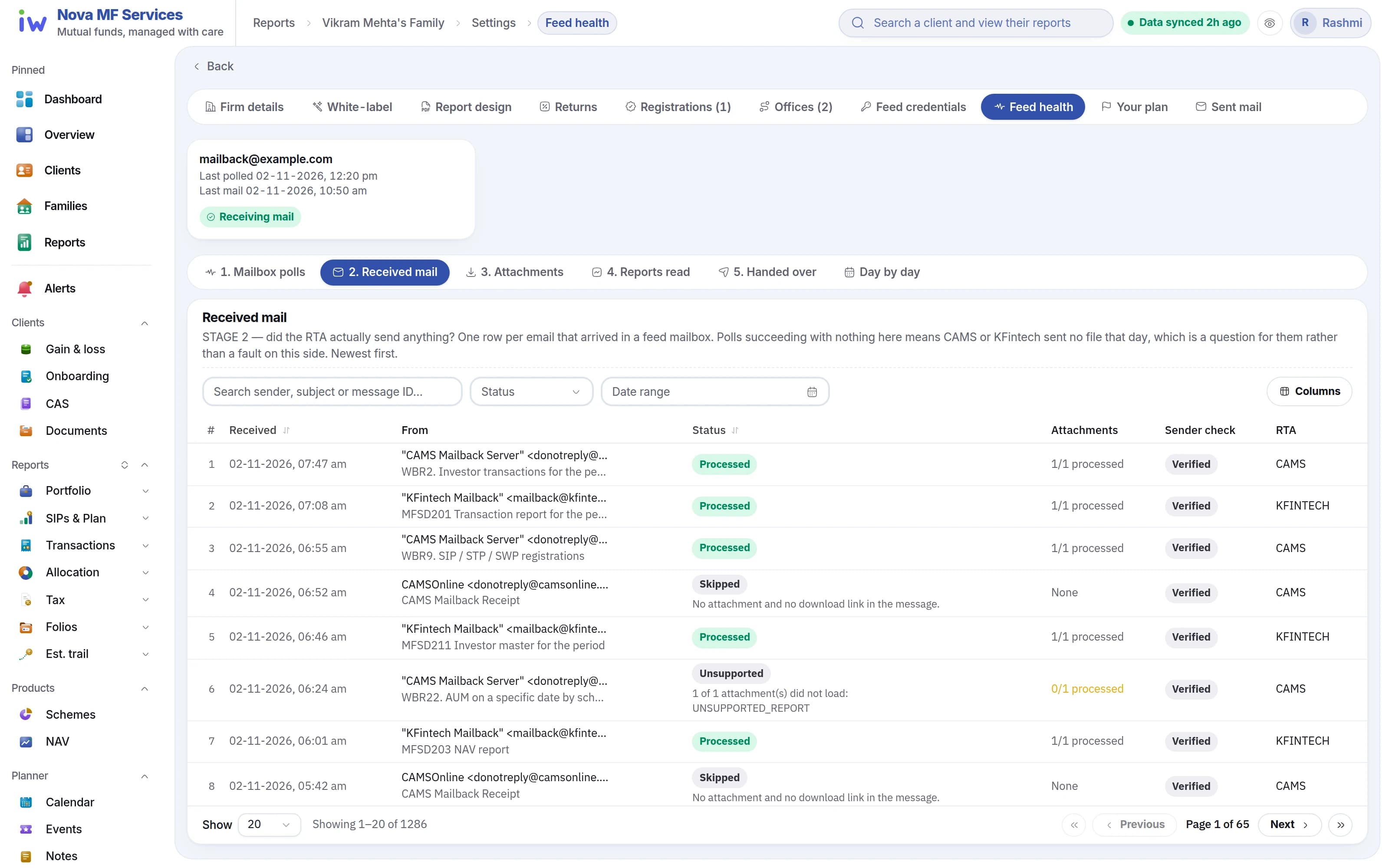
CAMS and KFintech mailbacks are read and reconciled overnight, and Feed health shows each one.

  • Mailback files picked up automatically
  • Feed health shows each stage and each file
  • Every number you open is today's
Feed health: every mailback file and the stage it reached
  1. 1Feed health
  2. 2Mailback picked up automatically
  3. 3Every file, every stage
  4. 4Each file and where it reached

03Chapter 3 · Find a client

Families that add up

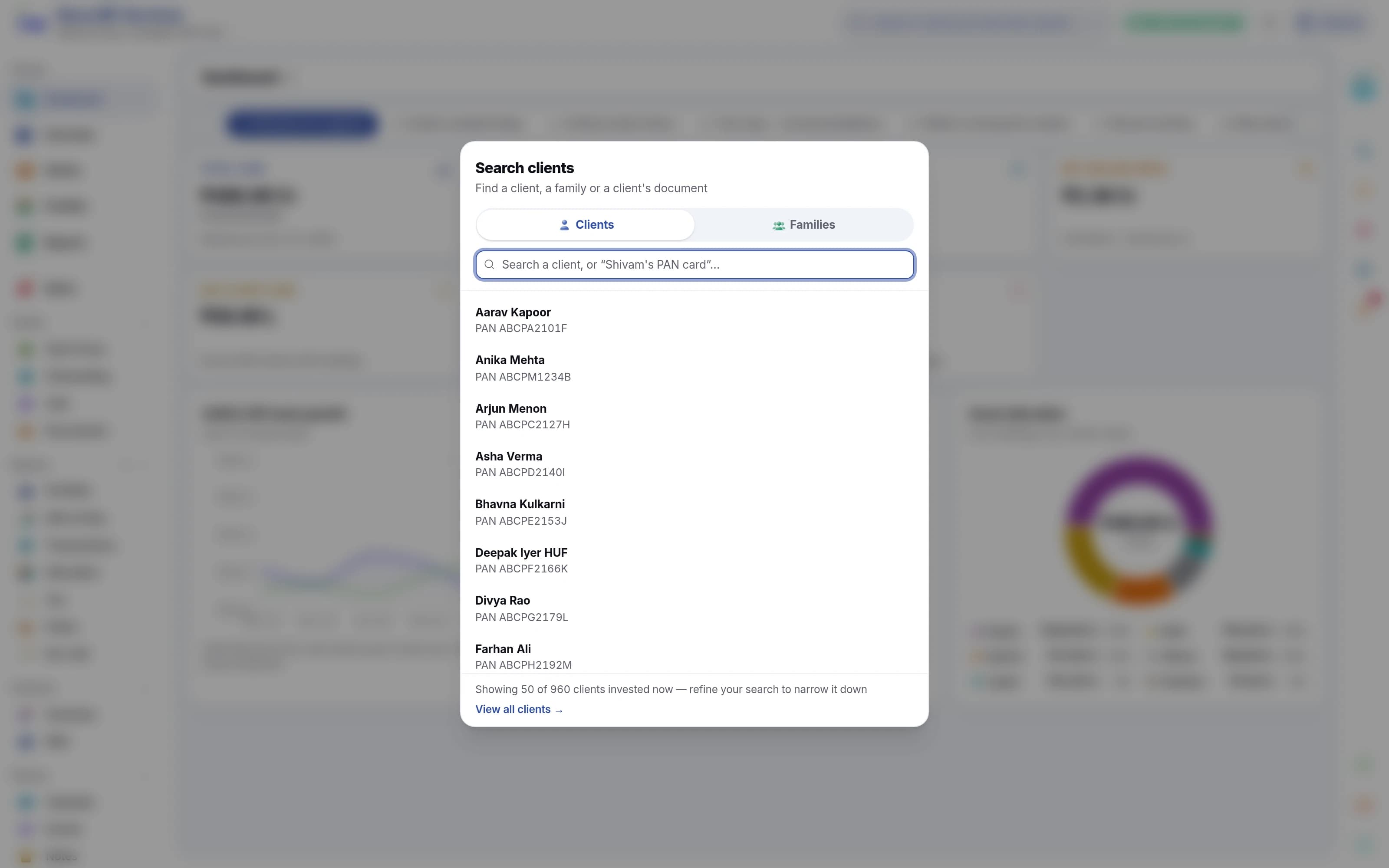
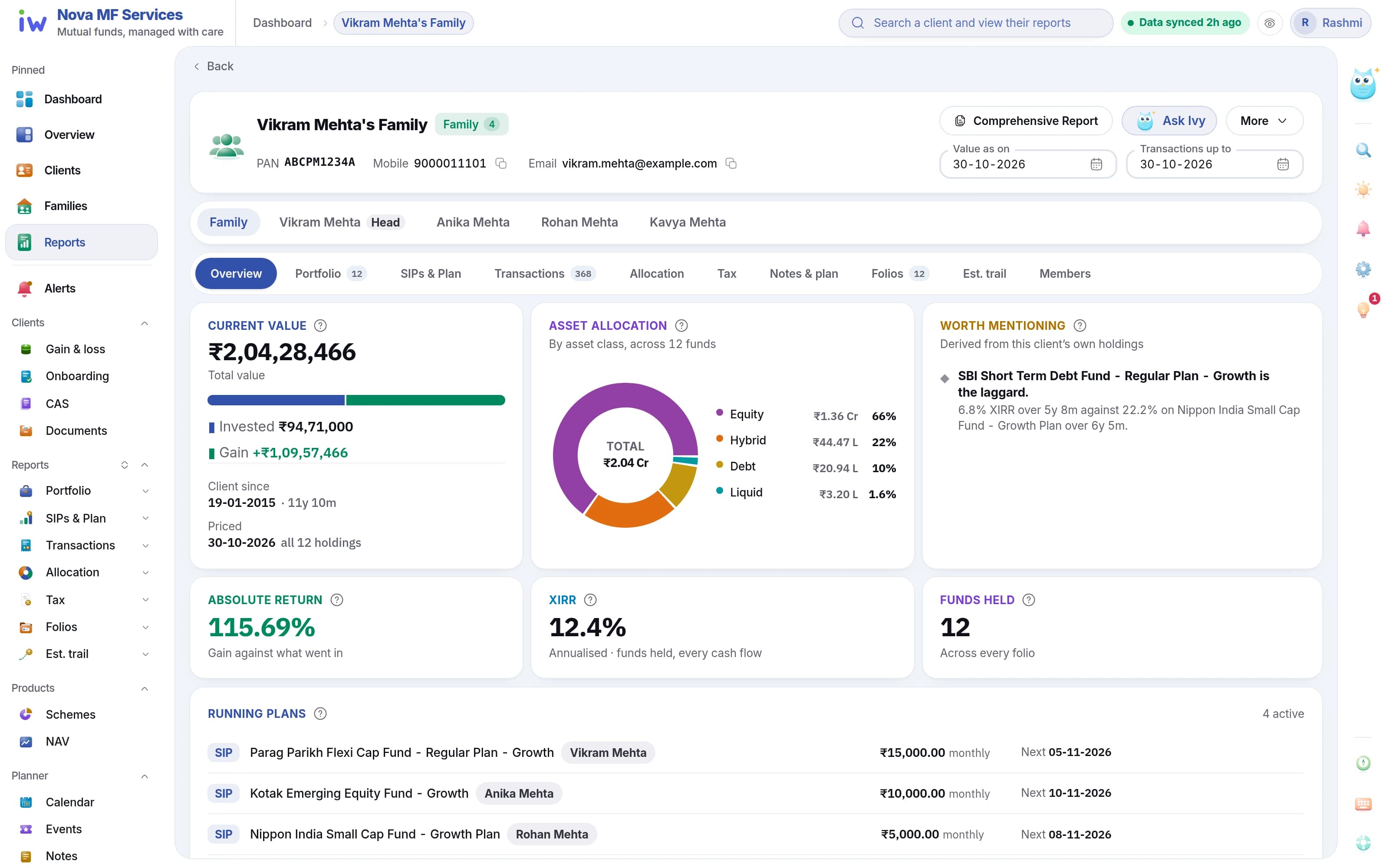
Find any client or family in a keystroke and open everything about them. Group members into households, and every figure adds up across them.

  • Search across every client and household
  • Holdings, transactions, SIPs and reports on one screen
  • Family-level valuation, gains and XIRR
Client search across every household in the book
A household's overview: value, allocation, returns and members
  1. 1A family or an individual
  2. 2Search every household
  3. 3Open a client or family
  4. 4Value, invested and gain
  5. 5Family XIRR
  6. 6Each member of the family

04Chapter 4 · Their reports

The statement a client actually reads

Portfolio valuation, capital gains, transactions and SIPs — exported as a branded PDF or Excel.

  • Scope, layout and extra sections before export
  • PDF or Excel
  • Your logo and colours on every page
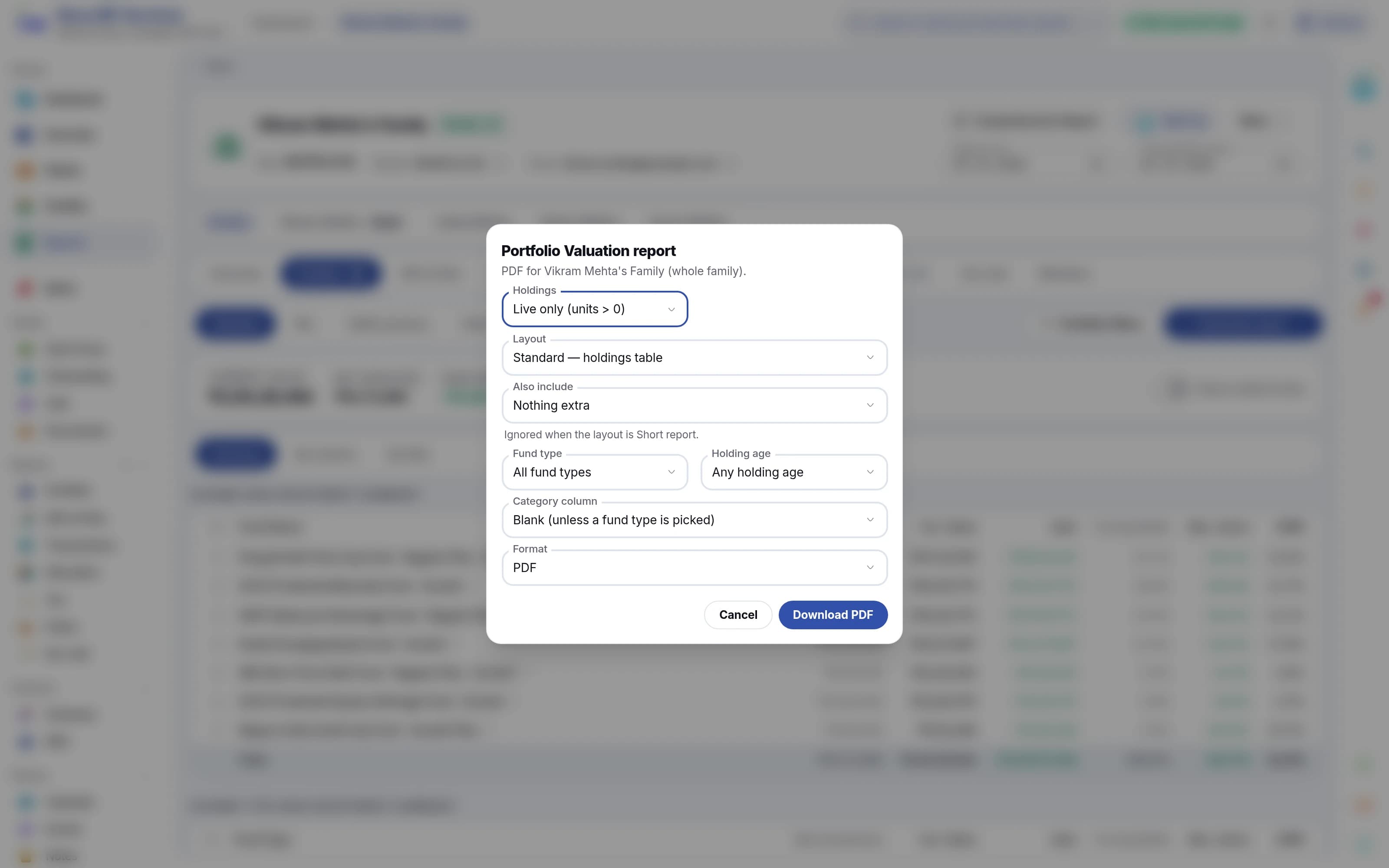
A household's overview with its reports
Every report one click away
The export options on a report
  1. 1Choose a report
  2. 2Choose what goes in
  3. 3PDF or Excel
  4. 4Download, with your logo

05Chapter 5 · The story

See the story behind the numbers

Profit and loss, SIP flows and transaction heatmaps — the patterns a table hides.

  • P&L and valuation charts
  • SIP inflow over time
  • Transaction flow heatmap
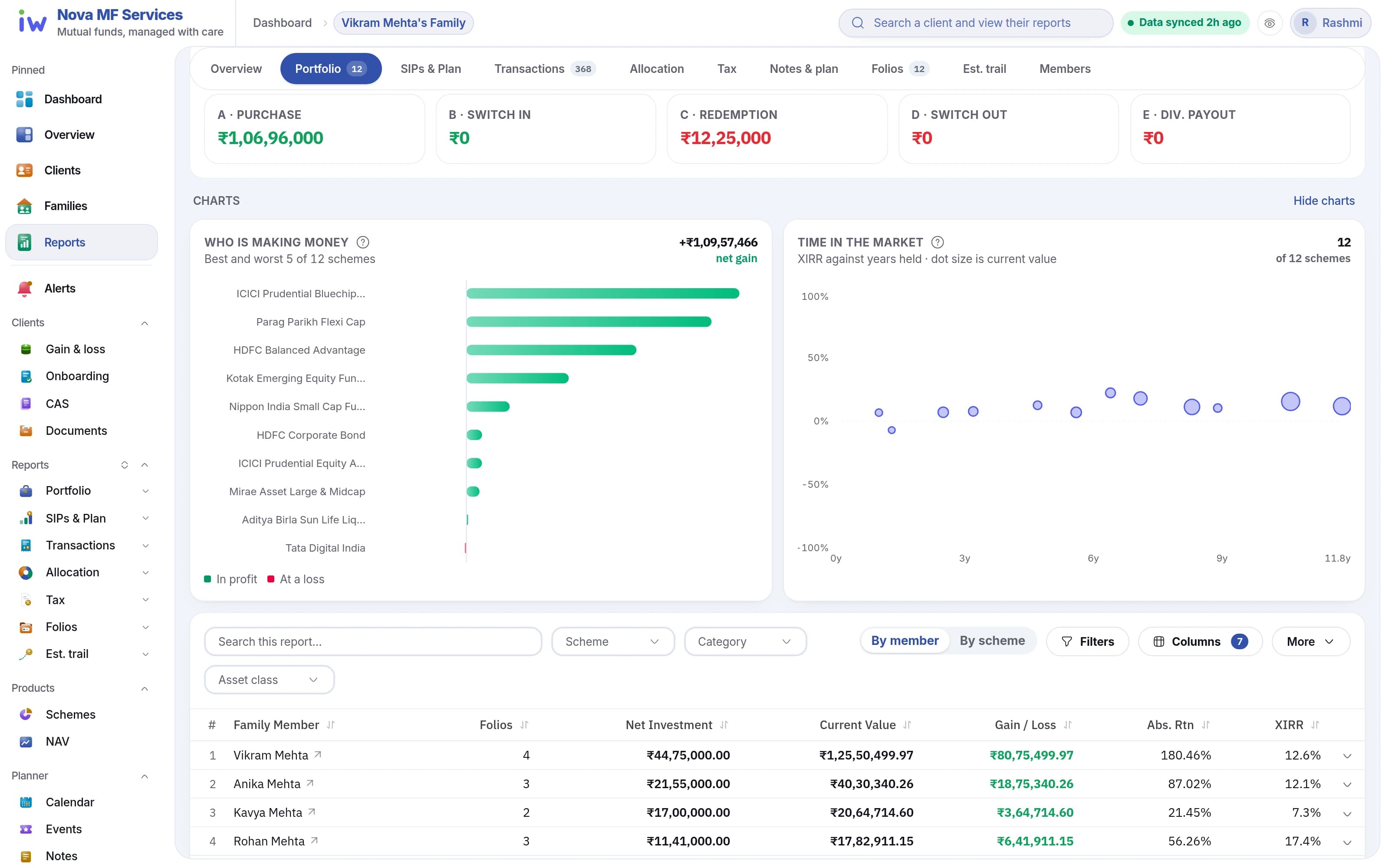
Profit and loss and valuation charts
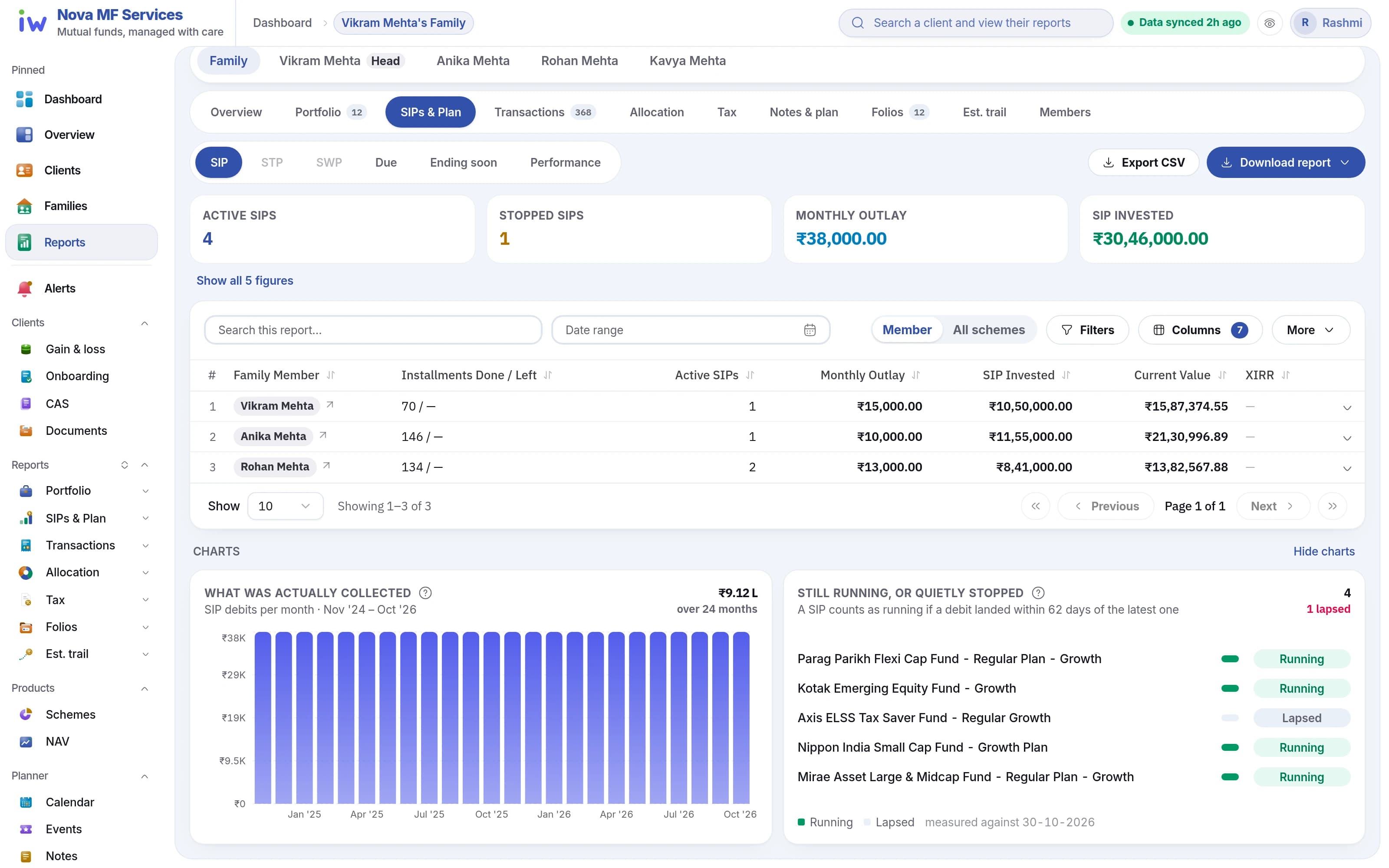
The SIP report: monthly SIP inflow
  1. 1Value, investment, gain and XIRR
  2. 2Who is making money
  3. 3XIRR against years held
  4. 4SIP inflow over time
  5. 5Still running, or stopped

06Chapter 6 · Under your brand

White-label branding

Your name, logo and colours across the portal and every statement.

  • Logo, favicon and tagline
  • Light and dark palettes with a live preview
  • Firm details printed on statements

For your clients, under your brand

What your client opens

A web portal in your firm's name, logo and colours. Each client sees their own portfolio, SIPs, family holdings and capital gains, and can download their statements. It works in any browser — there is no app to install.

  • Their whole portfolioClients see value, gains and XIRR, refreshed every morning.
  • SIPs at a glanceEvery running SIP and what it adds up to each month.
  • Tax, ready to fileCapital gains statements a client can download themselves.
  • The whole familyOne login shows every member of the household.
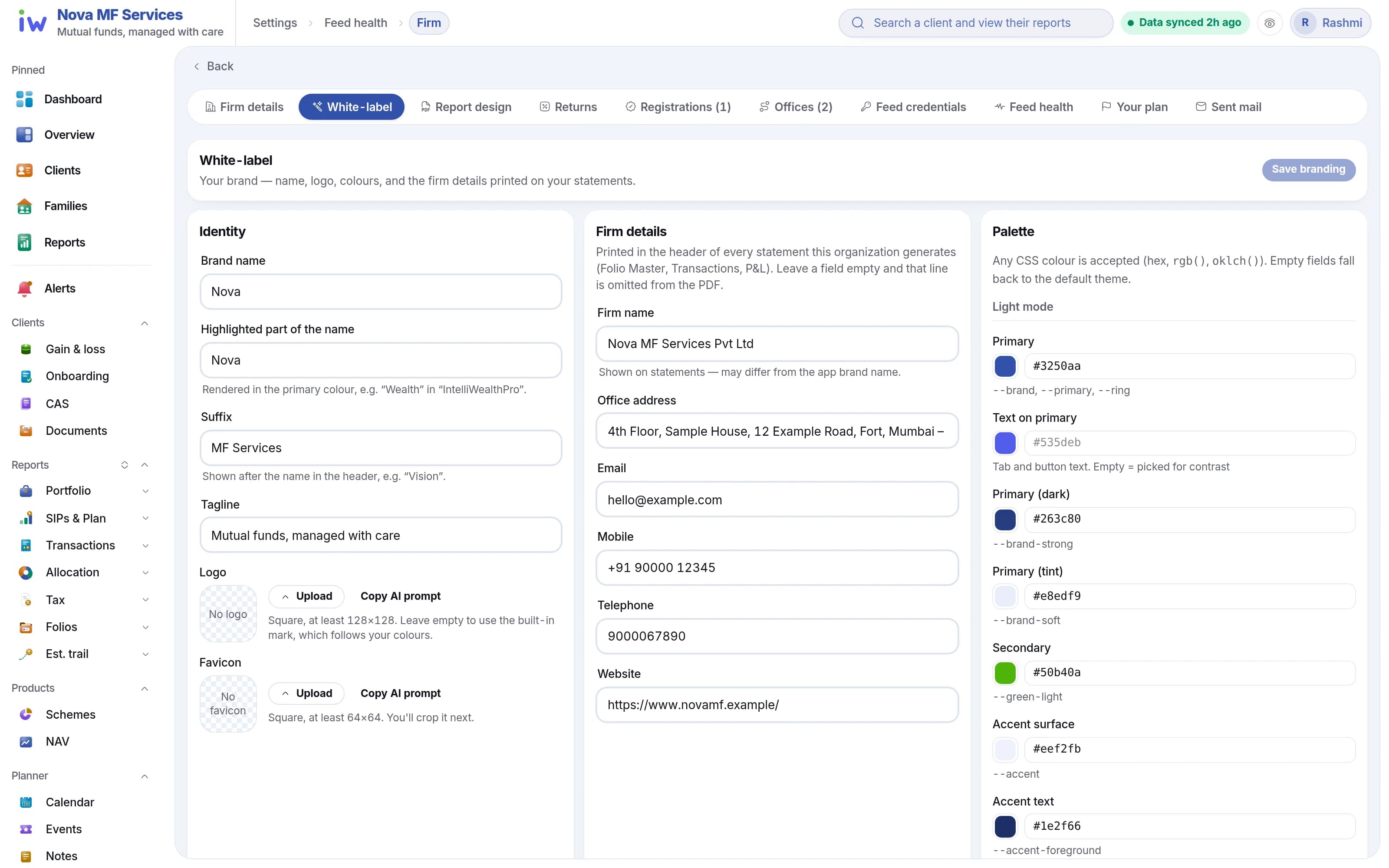
The white-label branding screen with a live preview
  1. 1Your firm's name
  2. 2Logo and favicon
  3. 3A live preview
Your firm
Your logo, your colours
Your portfolio · sample
₹60,00,000
+₹10,00,000 · 20.0%
Holdings
SIPs
Capital gains
Family
Statement ready to download

07Chapter 7 · Ask Ivy

Rolling out firm by firm

Ask Ivy about your book

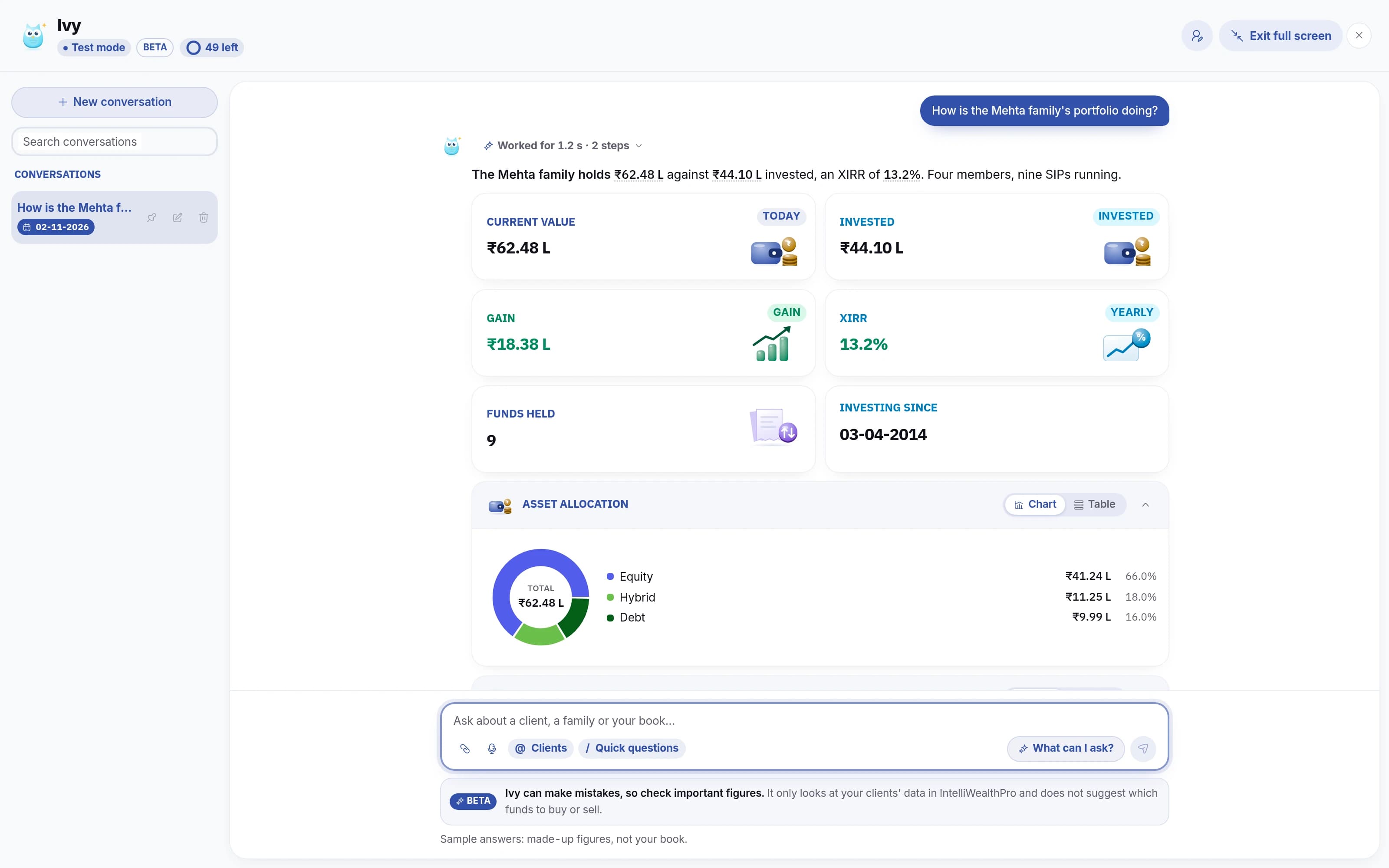
Ivy is the assistant inside IntelliWealthPro. Ask in plain words — what a family is worth, which SIPs end this month — and get the answer from your own data, with the chart drawn for you.

  • Questions about a client, a family or the whole book
  • Facts only — no recommendations, no buy or sell calls.
  • Your clients' identifiers never reach the AI.
Ivy answering how a family's portfolio is doing, with a chart
Sample
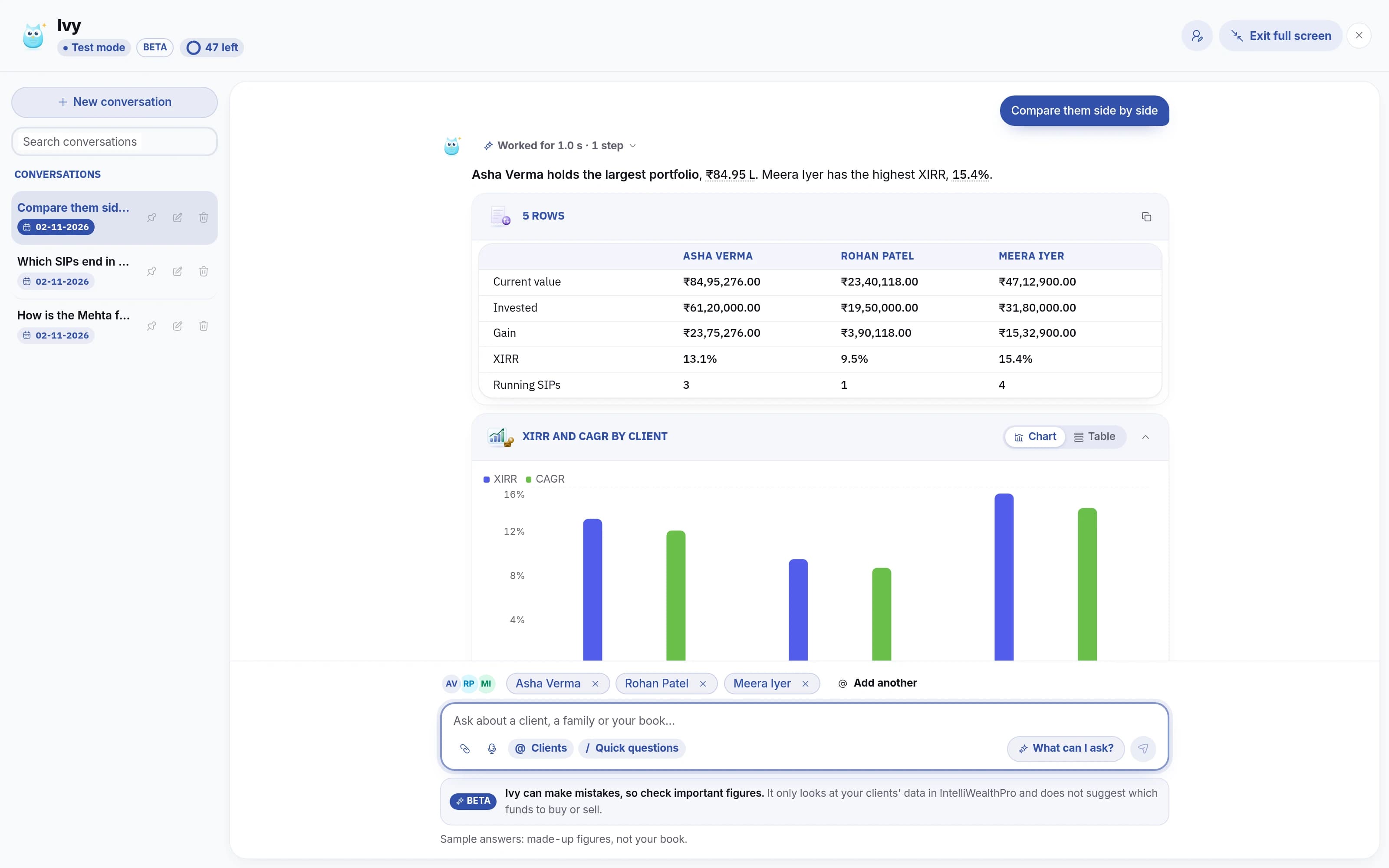
Ivy comparing three picked clients side by side
Sample
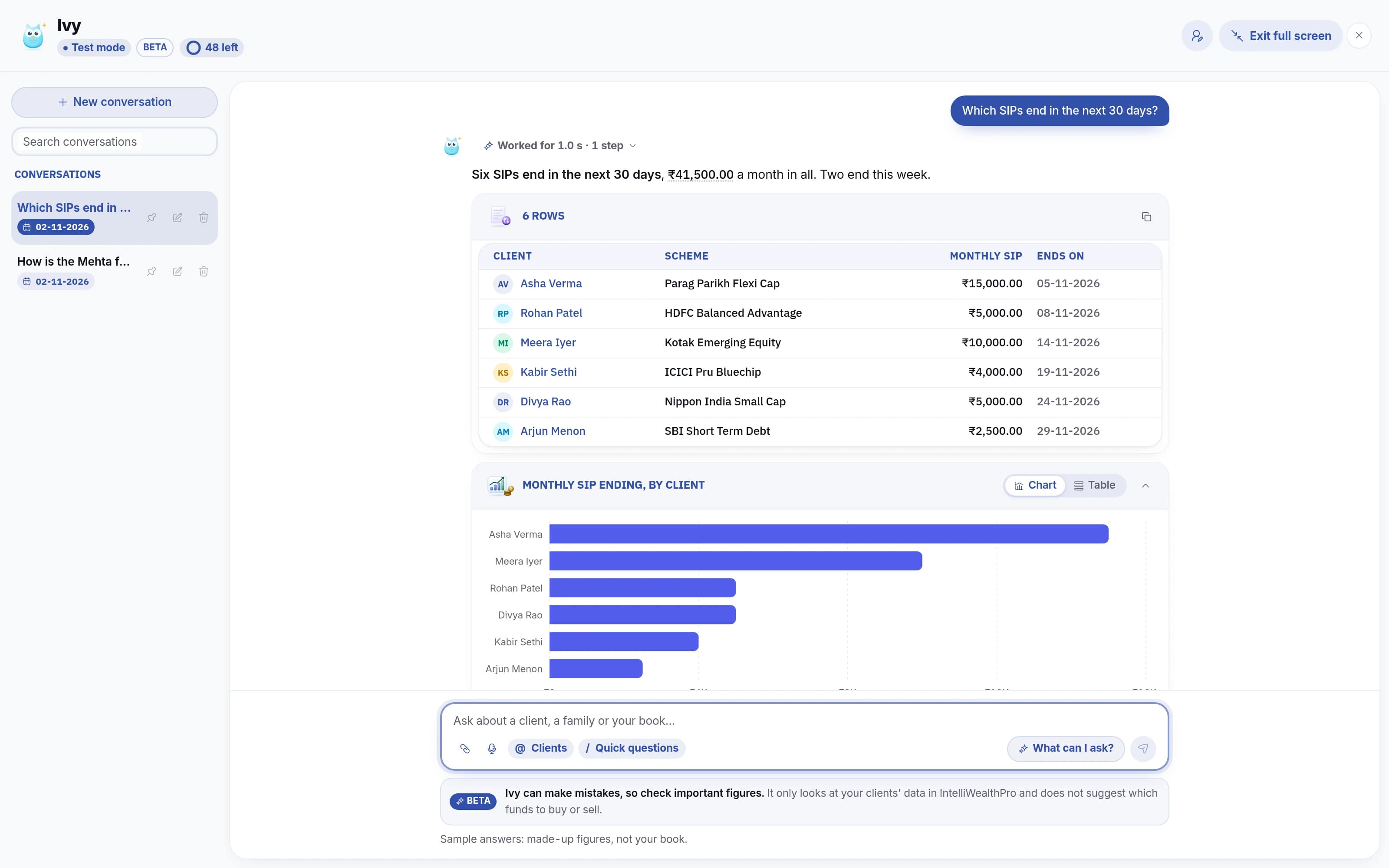
Ivy listing the SIPs that end in the next 30 days
Sample
  1. 1Ask in plain words
  2. 2The family's figures
  3. 3Charts drawn for you
  4. 4Pick clients with @
  5. 5Side by side
  6. 6XIRR and CAGR, charted
  7. 7Ask about the whole book
  8. 8Who, which fund, when
  9. 9Ranked by amount

08Chapter 8 · Your day

Who to call today, and why

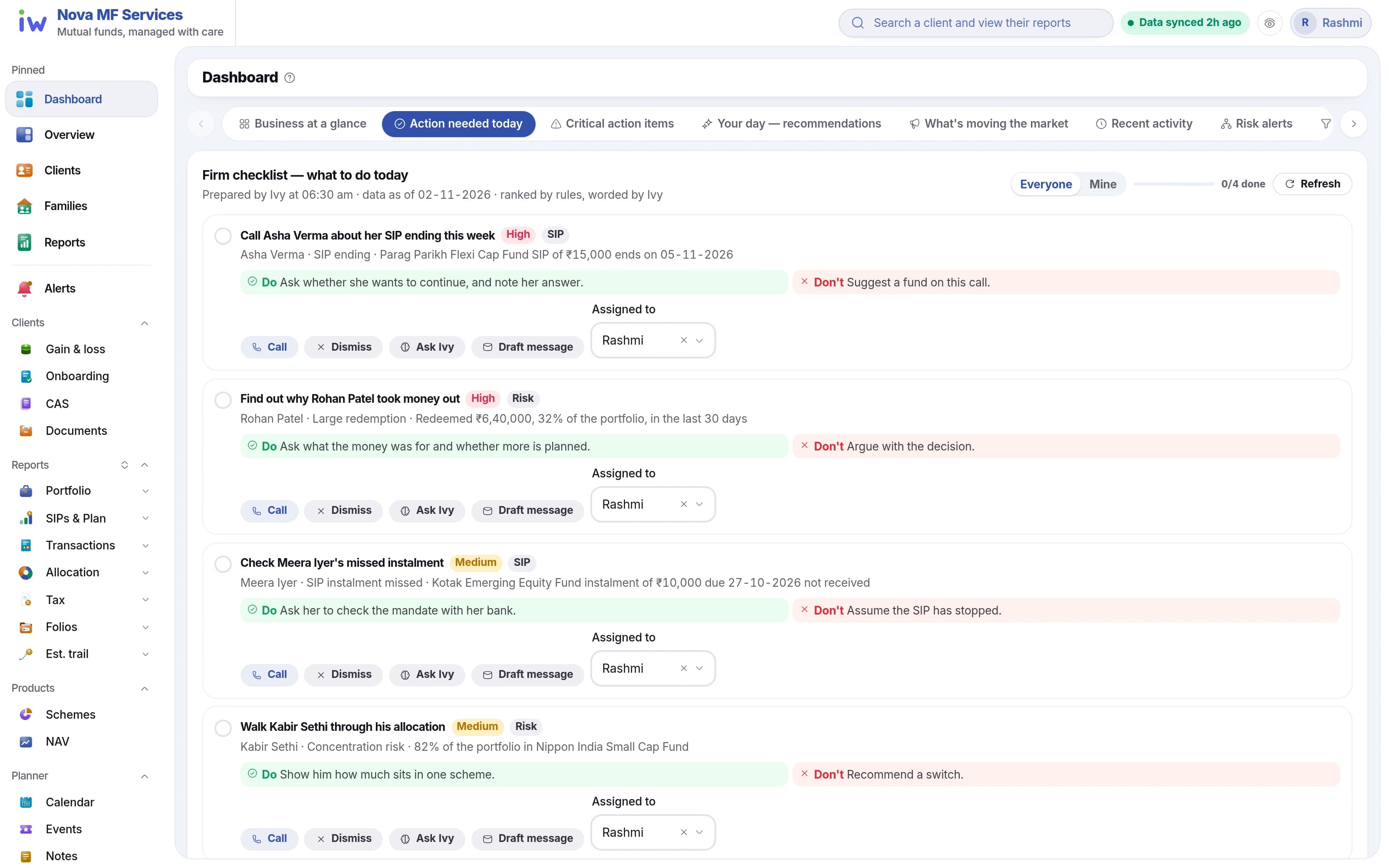
Raised from last night's feed and ranked by rules, the list is ready before you open the app. Ivy words each item, with what to say on the call and what not to.

  • SIP lapses, large redemptions and allocation drift
  • Acknowledge, resolve or dismiss as you call
  • Calendar and to-dos for the day
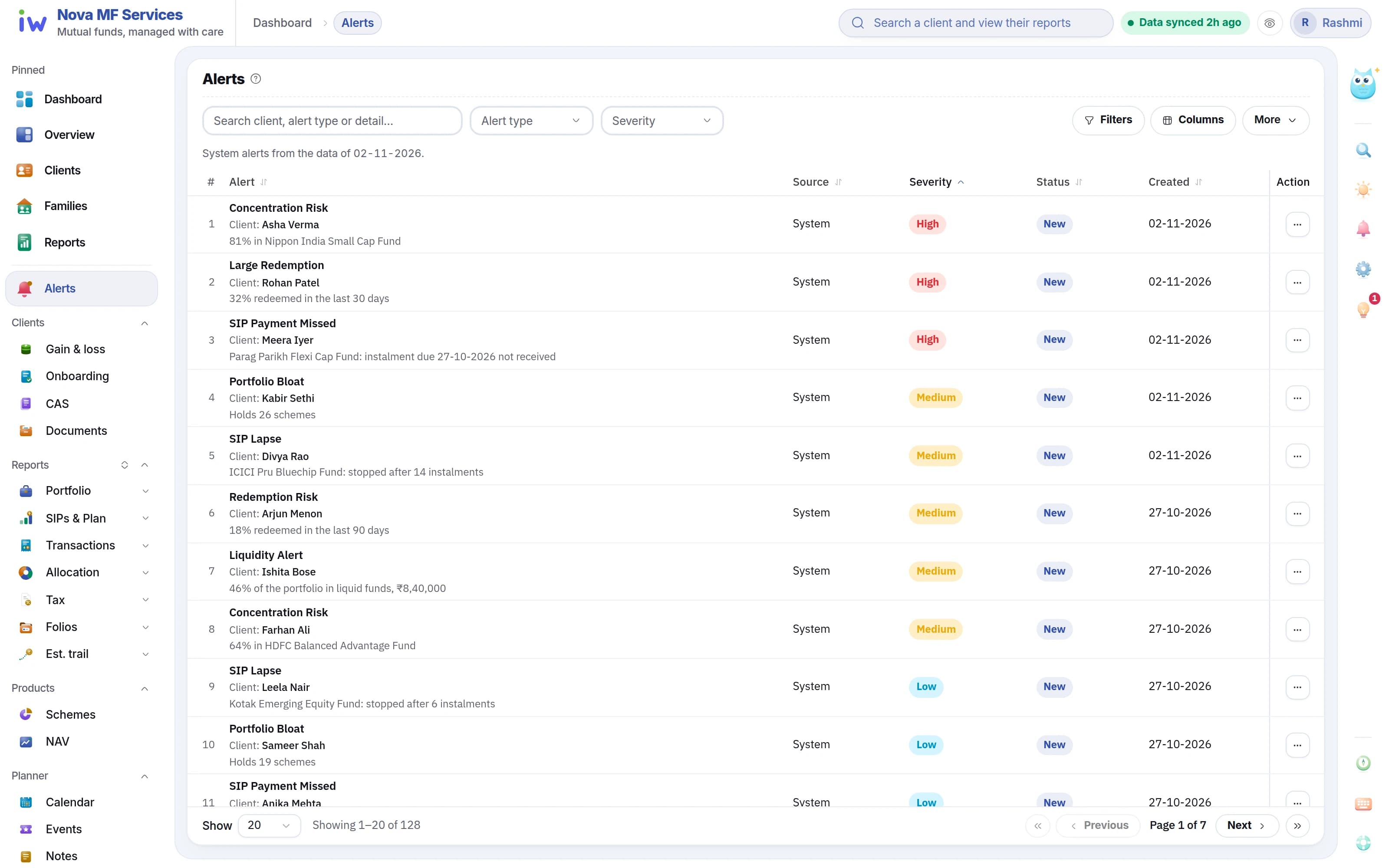
The dashboard's list of who to call today
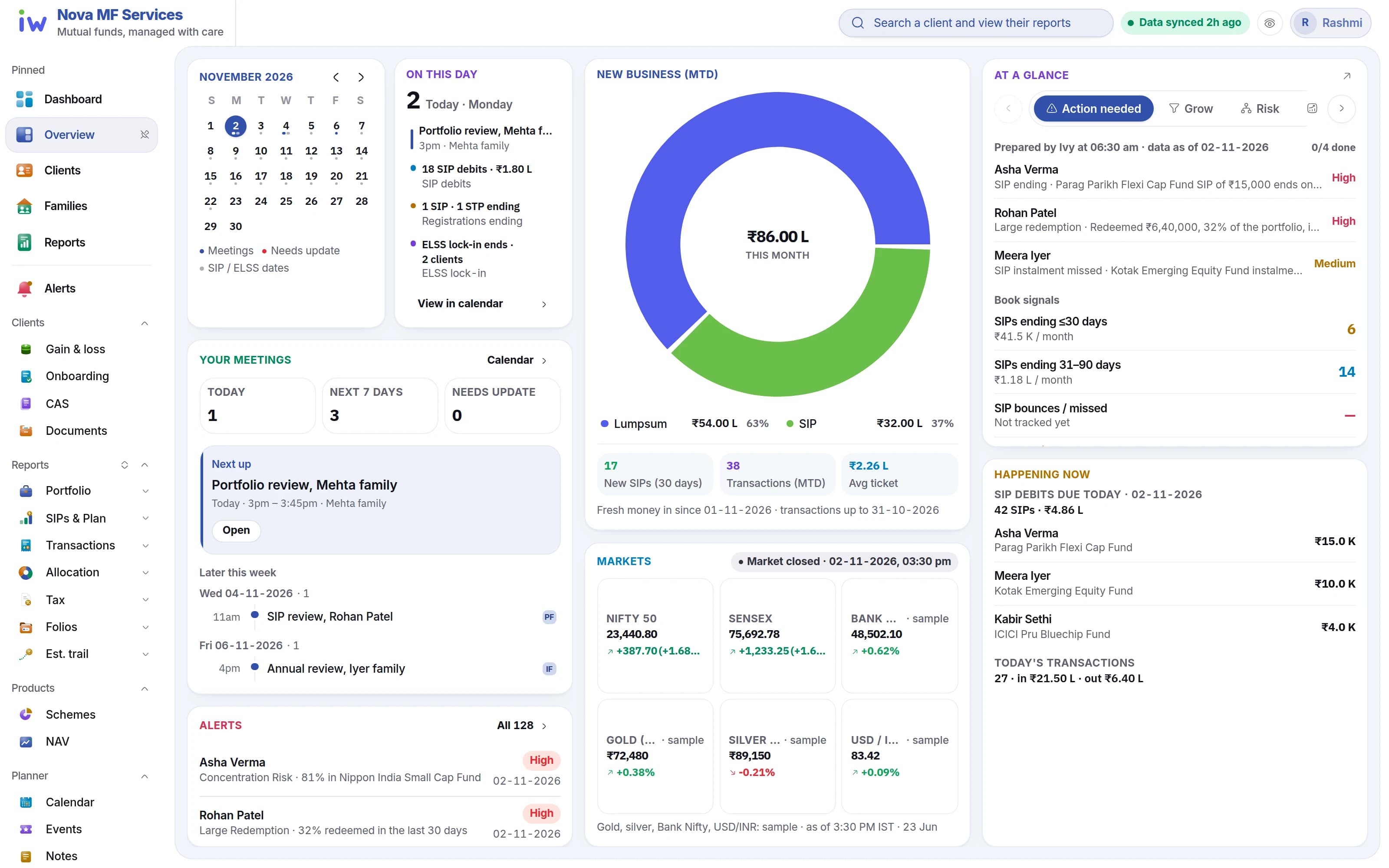
The Overview page: calendar, meetings, new business and alerts
Risk alerts, by severity
  1. 1Ready before you open
  2. 2Who to call, and why
  3. 3What to say, and what not to
  4. 4Today at a glance
  5. 5New business this month
  6. 6The day's list and book signals
  7. 7The rule that fired
  8. 8High, medium, low

09Chapter 9 · Stay in touch

Messages that go out on their own

Campaigns to your clients, sent under your own brand. Birthdays, festivals, SIP and tax reminders run by themselves, by email today; you step in only to change one.

  • Email campaigns to a segment of clients
  • Monthly sending limits you control
  • Templates in your firm's colours
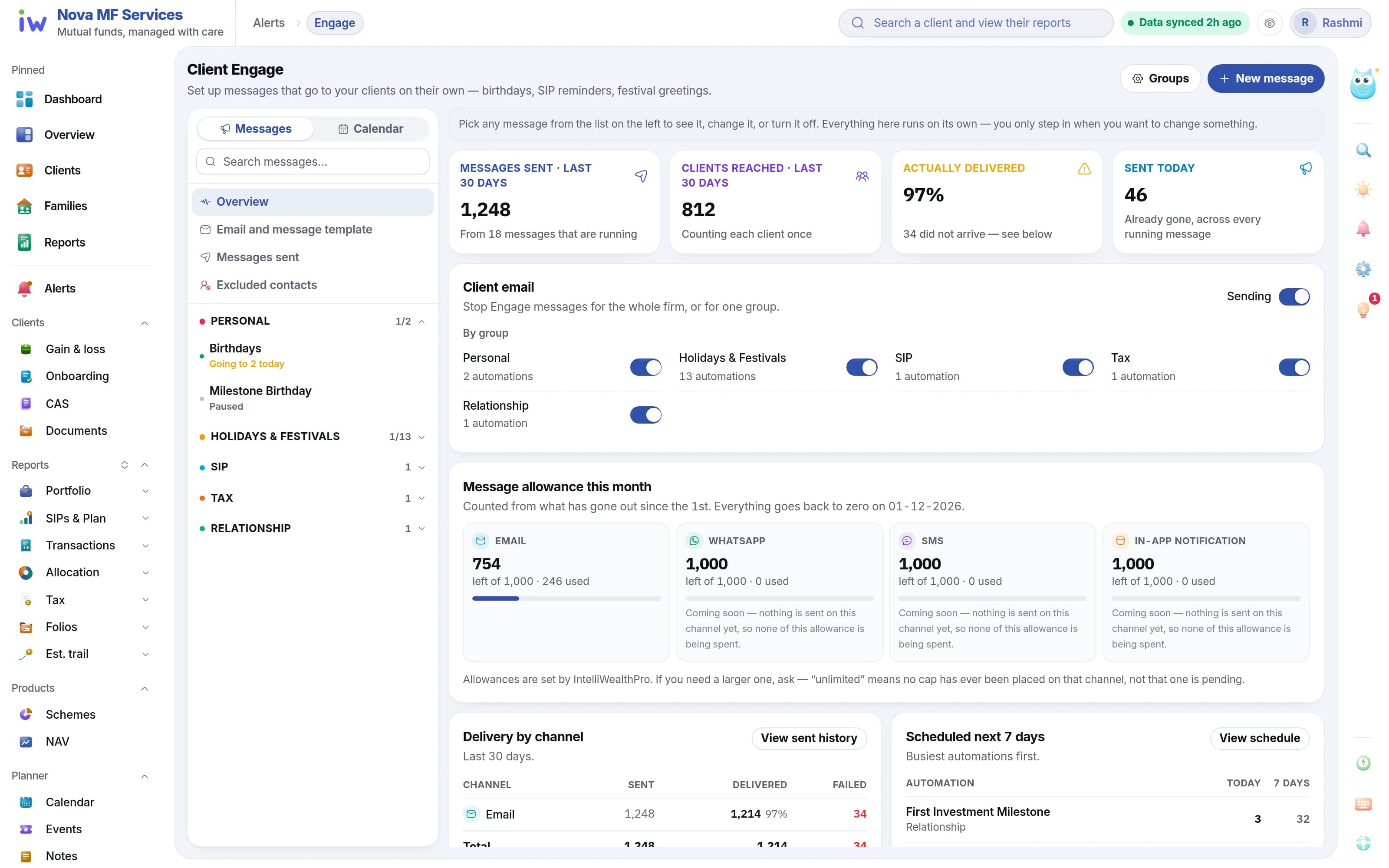
Engage: messages sent, delivered and switched on
  1. 1Birthdays, festivals, SIP and tax
  2. 2Sent, and actually delivered
  3. 3Switch a group off in one click
  4. 4Your monthly allowance

10Chapter 10 · Your team

Give each person on the team exactly what they need

Add staff, assign roles and see who has access. Roles from templates or from scratch.

  • Read, create, update and delete per module
  • Every change audited
  • A role for every person
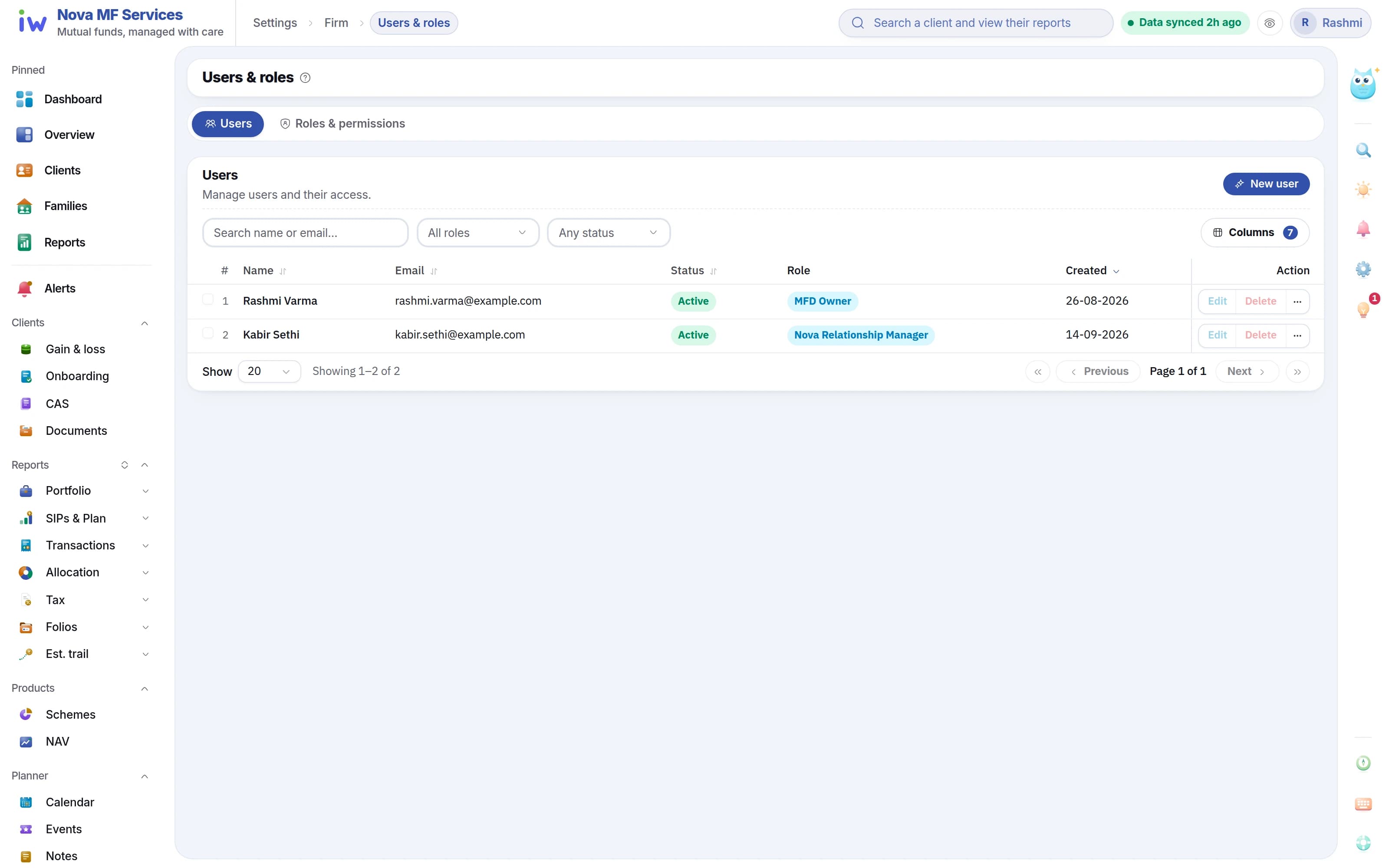
User management: who has access and which role each holds
  1. 1Invite a user
  2. 2Who has access
  3. 3A role for every person

11Chapter 11 · Go live

Live in a week.

Onboarding is a checklist, not a project. You connect the feed and invite your team — we do the reconciling.

  1. Day 1

    •••

    Connect your feed

    Set up the mailback once. We collect from then on.

  2. Days 2–3

    Every folio mapped

    Clients, families and folios matched into one book.

  3. Day 4

    Your team, your roles

    Add your staff and give each person only what their job needs.

  4. Day 7

    Live

    Your book, your reports and your clients' portal, switched on.

After the tour

Common questions

What distributors ask before they sign up. Anything else, ask us in a demo.

Request a demo
  • IntelliWealthPro is back-office and client software for mutual fund distributors in India. It reads your CAMS and KFintech feeds into one reconciled book, then gives you a dashboard of who needs a call, client and family portfolios, reports, capital gains and a portal for your clients.

  • Mutual fund distributors (MFDs) in India and their teams — from a one-person practice to a firm with staff, where each person gets a role with only the access their job needs.

  • Yes. It reads the daily mailback files from CAMS and KFintech. You point the mailback at us and add the file passwords; the files are read and reconciled overnight into one book, and Feed health shows the state of each one. File passwords are stored encrypted, never in plain text.

  • Upload a client's Consolidated Account Statement PDF with its password. Every scheme is read and marked as your business or held elsewhere, and you can save the statement to come back to. The password opens the file once and is never stored, and a CAS is kept apart from your book, so nothing is counted twice.

  • No. It is software for distributors: it shows the facts of a portfolio — value, gains, SIPs, tax — and the recommendations stay with you. Ivy, the assistant, answers questions about your book and makes no buy or sell calls.

  • A web portal in your firm's name, logo and colours. Each client sees their own portfolio, SIPs, family holdings and capital gains, and can download their statements. It works in any browser — there is no app to install.

  • Not yet. Ivy, the assistant inside IntelliWealthPro, is being rolled out firm by firm. When it is on for your firm, you can ask about your own book in plain words and get an answer from your reconciled data. It gives facts, not buy or sell calls.

  • Request a demo, or register your firm directly. We verify your ARN, connect your CAMS and KFintech feeds and map every folio into one book. Then your reports and your clients' portal are switched on. The checklist runs over seven days: feed on day 1, folios by day 3, team on day 4, live on day 7.

End of the tour

Now see it on a book like yours.

A walkthrough on a sample book like yours — the dashboard, the reports and the investor portal.